Digital Video
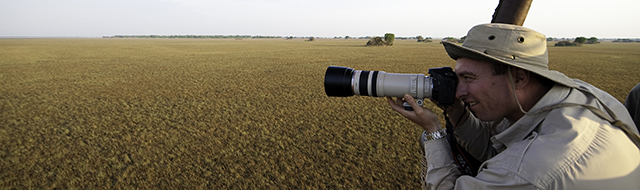
Smartphones and mirrorless cameras can easily capture high-quality video, which can be used for short social media clips or (with extensive editing) to create a longer, professional-looking video of your safari. Short clips are easy to manage and upload (once you return home - there is not sufficient bandwidth on safari) providing fun, albeit somewhat superficial, insight into the safari experience. Longer, edited videos can capture a more profound rendition of your safari, something to treasure for the rest of your life, but they require a fairly substantial time investment and a steep software learning curve - consider hiring a professional to turn your raw footage into a masterpiece to share with friends and family.
No amount of editing can undo bad footage though, and the final quality of your video is going to be largely dependent on the quality of the footage that you shoot. The rules are very much the same as for still photography. Try to avoid camera shake - wait until the vehicle stops, rest the camera or your elbows on a 'dead rest' (your knees, the side of the vehicle, anything that makes your hold on the camera more stable). If there is no dead rest, hold the elbow of your 'shooting arm' tight in against your body, and support the camera with your free hand. Be careful about extreme zoom if you do not have a dead rest - any camera shake is amplified by the zoom factor.
Any movement in the filming process should be slow and smooth. If you do pan shots, keep it slow and smooth; zooming in and out should also be slow and smooth. Fast, jerky footage looks bad even with the best possible editing.
Try to keep each scene short and snappy - 10 to 30 seconds, unless there is sufficient action to warrant filming continuously. Lions lying in the shade after a big meal are not worth 30 minutes of footage - capture 30 seconds, and then wait to see if there is action. During intense action, keep the camera rolling, you can always edit it when you get home but you may never again see what is happening in front of your eyes.
We prefer to shoot through the viewfinder than to use the LCD screen because batteries last longer this way, and the viewfinder pressing against your forehead can help to stabilize the camera. But this is personal preference.
A myriad of video accessories exists for both smartphones and digital cameras, most being targeted at professionals and impractical for safari. One exception is a handheld, 3-axis gimbal stabilizer for smartphones, which helps to reduce phone shake, and add stability and smoothness to footage. A small, external microphone can significantly increase the quality of sound capture for digital cameras.
If you are capturing footage to be edited into a longer video to be shown on computers or TV, shoot in the horizontal ("landscape") orientation. For social media clips, shoot vertically ("portrait").